您希望搜索哪方面的内容?



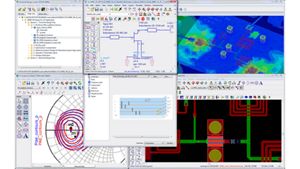
- 概述和特性
- 售后升级
- 资源
HIGHLIGHTS
- 支持针对新兴 5G 无线标准的设计验证
- 包含预先配置的仿真设置、调制信号源和解调文件,完全符合无线规范
- 预先配置的设置可以方便地通过原理图中的组件面板列表或组件库浏览器访问
- 包括 5G_FBMC 接收和发射分析测试台
- 允许从 SystemVue 导入“定制的 5G 验证测试台(VTB)”,并在先进设计系统(ADS)中使用
- 信号生成和解调算法与是德科技仪器完全一致,可为您的电路仿真和验证结果提供仪器级的一致性和精度
 W2383EP ADS 5G 模型库使工程师能够针对新兴的 5G 无线标准进行设计和设计验证。这个无线模型库包含预先配置的仿真设置、调制信号源和解调文件,完全符合无线规范。信号生成和解调算法与是德科技仪器完全一致,可为您的电路仿真和验证结果提供仪器级的一致性和精度。是德科技的 5G 无线程序库始终与最新的标准保持同步,这得益于是德科技踊跃参与国际标准组织的工作及相关标准的制定,这对快速设计和开发仪器至关重要。
5G VTB 和 5G VTB 组件
5G VTB 是 SystemVue 工作区中的一种 SystemVue 数据流程设计。5G VTB 组件是 ADS 仿真环境中的一个常用组件,它提供了指向 SystemVue 中的 5G VTB 的链接。总之,VTB 使电路设计人员能够利用 SystemVue 中的信号源和测量设置,并使用符合先进 5G 无线标准的真实复合调制信号来验证电路的性能。
创建 5G VTB
VTB 由系统设计人员在 SystemVue 环境中创建,并供电路设计人员在 ADS 中使用。如欲了解如何创建 VTB,请参见 SystemVue 文档。
 内置 5G VTB 组件
ADS 内置了多种 5G VTB 组件,用于支持 SystemVue 中的无线标准。它们可以通过原理图视图中的组件面板列表或组件库浏览器访问。它标记为 VTB-5G。
定制的 5G VTB 组件
您可以在 SystemVue 中创建 5G VTB,然后在您的设计中使用。如欲了解如何创建 VTB,请参见 SystemVue 文档中的“创建 VTB”部分。
我们推荐您在整合之前,先在 SystemVue 中运行 VTB。想要运行 VTB,您可能需要将 SVE_Link 器件旁路。在保存 VTB 文件以便在 ADS 中使用之前,您需要重新设置 SVE_Link 器件状态。
每个 VTB 都显示为一个文件。生成了 VTB 之后,文件保存在一个目录中。您可以从该目录中读取/访问这个文件,然后在设计中使用。