
E1733D Remote Control For 5530 Laser Calibration System
Brochures
Introduction
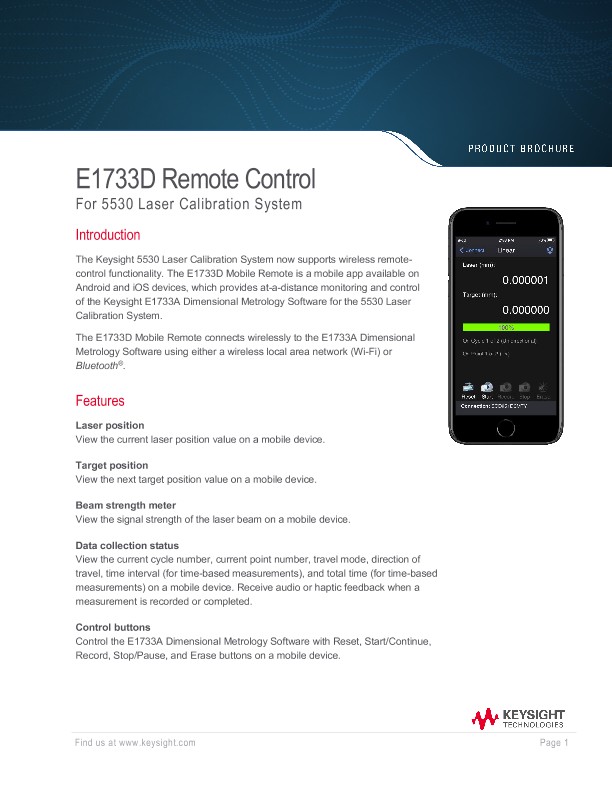
The Keysight 5530 Laser Calibration System now supports wireless remotecontrol functionality. The E1733D Mobile Remote is a mobile app available on Android and iOS devices, which provides at-a-distance monitoring and control of the Keysight E1733A Dimensional Metrology Software for the 5530 Laser Calibration System.
The E1733D Mobile Remote connects wirelessly to the E1733A Dimensional Metrology Software using either a wireless local area network (Wi-Fi) or Bluetooth®.
Features
Laser position
View the current laser position value on a mobile device.
Target position
View the next target position value on a mobile device.
Beam strength
meter View the signal strength of the laser beam on a mobile device.
Data collection status
View the current cycle number, current point number, travel mode, direction of travel, time interval (for time-based measurements), and total time (for time-based measurements) on a mobile device. Receive audio or haptic feedback when a measurement is recorded or completed.
Control buttons
Control the E1733A Dimensional Metrology Software with Reset, Start/Continue, Record, Stop/Pause, and Erase buttons on a mobile device.
Connection Methods
WLAN (Wi-Fi)
WLAN mode allows the user to connect using the IP address of the Windows PC when both the Windows PC and mobile device are connected to the same wireless network, which can be an isolated network hosted by the PC or mobile device. WLAN connections will work anywhere the wireless network has a signal. Depending on the network environment, WLAN connections may offer a wider range compared to Bluetooth connections.
Bluetooth
Bluetooth mode allows the user to connect when the Windows PC and mobile device are paired with Bluetooth. This mode, although having a potentially shorter range, offers a connection solution when access to a wireless network is unavailable.