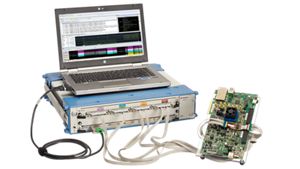
Keysight DDR Memory Analysis Software Guided Demo
样机
In this informative video, Jennie Grosslight from Keysight Technologies provides a detailed walkthrough of the DDR Setup Assistant, using a DDR4 example to illustrate the process. The DDR Setup Assistant is a method for tuning your logic analyzer to capture DDR or LPDDR memory traffic, ensuring the most accurate measurements.
The video begins with instructions on downloading and installing the latest versions of the logic analyzer software and the B4661A Memory Analysis software. Jennie guides viewers through the installation process, starting with the main logic analyzer software, followed by the B4661A software, and finally, the installation of any licensed options for the DDR or LPDDR technology of interest.
Once the software is installed, Jennie demonstrates how to run the DDR Setup Assistant. This tool is designed to streamline the setup process, providing detailed information and guiding users through each step. The video showcases a DDR4 system setup, but Jenny notes that the process is similar for other memory technologies and interposer solutions, with differences mainly in the actual connections and software decode.
Using a DDR4 BGA interposer on x8 DRAM with the W4643A interposer, Jennie walks through the setup process, highlighting the importance of loading the correct configuration file for the specific interposer. This ensures that the signals are accurately mapped into the logic analyzer. She also explains how to check the software to verify that all necessary applications are licensed and properly configured.
Jennie then delves into the detailed steps of the DDR Setup Assistant, including finding initial thresholds, setting sample positions for the clock and chip select, and verifying command and address settings. She emphasizes the importance of these steps in achieving accurate measurements and ensuring that the logic analyzer is correctly tuned to capture DDR4 traffic.
The video also covers the process of checking sample positions using the Eye Scan window, where Jennie demonstrates how to expand the view and adjust the scanning range for better visibility. She explains how to lock sample positions to prevent accidental changes and how to input read and write latency values if known. For those who do not know their system latency, Jenny shows how to take a quick trace and analyze the waveform to determine the latency.
Throughout the video, Jennie provides practical tips and insights, such as performing sanity checks on threshold values and understanding the significance of clean signal eyes. She also highlights common issues, such as signals that do not transition, and explains how to interpret these findings.