
RF Interference Troubleshooting
Brochures
Troubleshoot RF interference and jamming with RF editor and playback solutions
Troubleshooting RF interference or jamming is complicated by the intermittent and transient nature of the offending RF signals. To stress test your products for susceptibility to RF interference or jamming you need to be able to re-create the RF signals in a controlled and deterministic way.
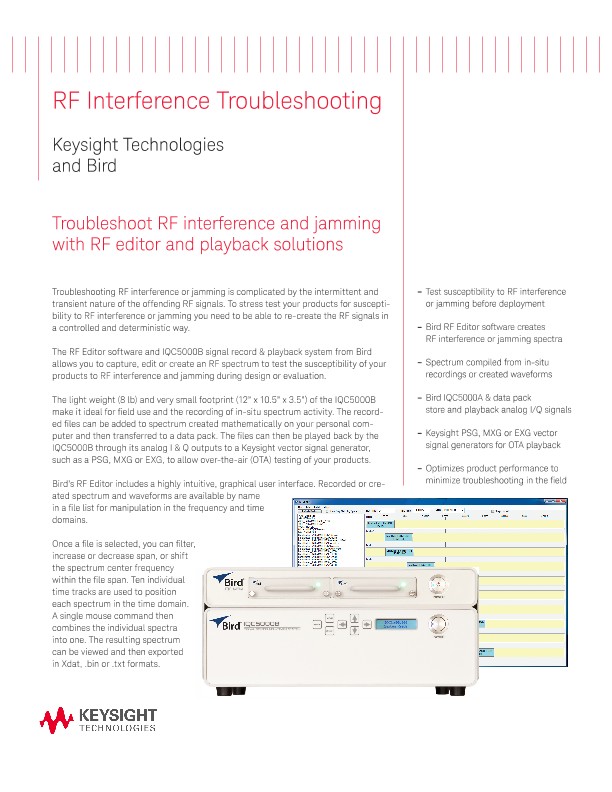
The RF Editor software and IQC5000B signal record & playback system from Bird allows you to capture, edit or create an RF spectrum to test the susceptibility of your products to RF interference and jamming during design or evaluation.
The light weight (8 lb) and very small footprint (12” x 10.5” x 3.5”) of the IQC5000B make it ideal for field use and the recording of in-situ spectrum activity. The recorded files can be added to spectrum created mathematically on your personal computer and then transferred to a data pack. The files can then be played back by the IQC5000B through its analog I & Q outputs to a Keysight vector signal generator, such as a PSG, MXG or EXG, to allow over-the-air (OTA) testing of your products.
Bird’s RF Editor includes a highly intuitive, graphical user interface. Recorded or created spectrum and waveforms are available by name in a file list for manipulation in the frequency and time domains.
Once a file is selected, you can filter, increase or decrease span, or shift the spectrum center frequency within the file span. Ten individual time tracks are used to position each spectrum in the time domain. A single mouse command then combines the individual spectra into one. The resulting spectrum can be viewed and then exported in Xdat, .bin or .txt formats.
The Bird RF Editor when used with the IQC5000B and a Keysight vector signal generator allows you to compile and playback RF spectra that are combinations of created and recorded waveforms. By testing your products’ susceptibility to RF interference or jamming during design or evaluation you can understand better how a device or system will function in the actual channel environment. As a result you can optimize their performance when deployed and minimize the cost of troubleshooting in the field.
RF Interference Signals
RF signals that cause interference or intentional jamming are often transient in time. A signal recording taken in-situ can provide an exact replica of the communications environment in which a system is designed to operate. However, the recording may not necessarily contain an interfering waveform which is transmitted only under specific circumstances, nor may it have recorded channel anomalies that are caused by dynamic multipath conditions or storms. There may also be other pieces of the complete spectral picture; other files that contain recordings of a jammer or waveforms created in MATLAB that replicate an errant channel user. In addition, in order to simulate a multipath environment phase shifted copies of an information frame with synchronization header may be required.
To correctly simulate the operating environment all of these have to be combined in order to test your product’s susceptibility to RF interference or jamming. The RF Editor from Bird allows you to compile RF spectra that are combinations of created and recorded waveforms.