您希望搜索哪方面的内容?
N1010A FlexDCA 采样示波器软件
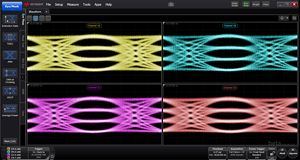
N1010A FlexDCA 采样示波器软件具有示波器、眼图/模板、抖动和 TDR 等测量功能,及控制兼容的是德科技采样示波器。

FlexDCA 安装程序包含以下最新更新*:
- FlexDCA 软件包:N1010100A R&D、N1010200A MFG和 N1010300A SI分析软件
- FlexPLL用于锁相环测量
- FlexRT用于UXR 系列示波器上的光测量
- FlexOTO 用于提高 DCA-M 系列示波器的整体光测试效率
* 需要相关的软件许可证及有效支持
关于之前版本的说明
- A.07.90 及更低版本支持 86xxx/83xxx/54xxx 系列采样模块
- A.07.61 及更低版本支持86100D 主机。有关详细信息,请参阅 N1010A FlexDCA 86100D 支持声明和常见问题解答。
- A.07.40 及更高版本支持 Windows 11
- A.05.00 及更高版本支持 Windows 10
- A.05.00 至 A.07.61 支持 Windows 7
- A.04.54 及更低版本支持 Windows XP
- A.06.81 及更低版本支持兼容模式
- 32 位和64 位安装程序适用于A.06.03 及更低版本 (A.06.40 及更高版本仅支持 64 位操作系统)
- A.05.80 及更低版本支持86100C 连接(86100C 必须运行固件版本A.10.83)
| 发布日期 | 版本 | 版本说明 |
|---|---|---|
| 2026-06-10 | N1010A Version A.08.32.13 | Adds support for the Z1 update of the N1093. Fixes for TDECQ violation pixel display, JH4u results, and FlexOTO connection timeouts. |
| 发布日期 | 版本 |
|---|---|
| 2026-06-10 | N1010A Version A.08.32.13 |
| 版本说明 |
|---|
| Adds support for the Z1 update of the N1093. Fixes for TDECQ violation pixel display, JH4u results, and FlexOTO connection timeouts. |
如何下载
Click the download button and save the installation file to the target machine or to a location available to the target machine.
如何安装
- Close all open programs and applications
- Install latest Microsoft Windows updates
- Run the installation package, following all prompts and instructions
颁发许可证
- Does Not Require a License
支持文档
Installs on: PC / Instrument
操作系统
- Windows 11
- Windows 10
前提要求
- Always install the latest Microsoft Windows updates before installing a new version of software.
- To validate the installer file, check the SHA256 File Checksum: BA72E28F53F6C2543D6C27F9F5B4B160D590A6D4F965B5F6562630676CC5B242
See FlexDCA Installation Troubleshooting Guide for additional information:
支持的仪器
- N1000A, N1002A, N109xx, N107xx
如何下载
Click the download button and save the installation file to the target machine or to a location available to the target machine.
如何安装
- Close all open programs and applications
- Install latest Microsoft Windows updates
- Run the installation package, following all prompts and instructions
颁发许可证
- Does Not Require a License
支持文档
Installs on: PC / Instrument
操作系统
- Windows 11
- Windows 10
前提要求
- Always install the latest Microsoft Windows updates before installing a new version of software.
- To validate the installer file, check the SHA256 File Checksum: CFDBD536E3537A49ACB3339805F890A1C6CBA14ED37E14FBD55A5C8545926CCC
See FlexDCA Installation Troubleshooting Guide for additional information:
支持的仪器
- N1000A, N1002A, N109xx, N107xx
如何下载
Click the download button and save the installation file to the target machine or to a location available to the target machine.
如何安装
- Close all open programs and applications
- Install latest Microsoft Windows updates
- Run the installation package, following all prompts and instructions
颁发许可证
- Does Not Require a License
支持文档
Installs on: PC / Instrument
操作系统
- Windows 11
- Windows 10
前提要求
- Always install the latest Microsoft Windows updates before installing a new version of software.
- To validate the installer file, check the SHA256 File Checksum: B1C3DCE633B4823C45CD0BF25EA242CE3CCEA42713409B639C4CC3ABF6DC0C00
See FlexDCA Installation Troubleshooting Guide for additional information:
支持的仪器
- N1000A, N1002A, N109xx, N107xx
如何下载
Click the download button and save the installation file to the target machine or to a location available to the target machine.
如何安装
- Close all open programs and applications
- Install latest Microsoft Windows updates
- Run the installation package, following all prompts and instructions
颁发许可证
- Does Not Require a License
支持文档
Installs on: PC / Instrument
操作系统
- Windows 11
- Windows 10
前提要求
- Always install the latest Microsoft Windows updates before installing a new version of software.
- To validate the installer file, check the SHA256 File Checksum: AC7654A01DE2949D9F28E1DA9842D0480E4FA71733573154BE0CCD4BA3E30E5C
- See FlexDCA Installation Troubleshooting Guide for additional information:
支持的仪器
- N1000A, N1002A, N109xx, N107xx
如何下载
Click the download button and save the installation file to the target machine or to a location available to the target machine.
如何安装
- Close all open programs and applications
- Install latest Microsoft Windows updates
- Run the installation package, following all prompts and instructions
颁发许可证
- Does Not Require a License
支持文档
Installs on: PC / Instrument
操作系统
- Windows 11
- Windows 10
- Windows 7 64-bit
前提要求
- Always install the latest Microsoft Windows updates before installing a new version of software.
- To validate the installer file, check the SHA256 File Checksum: F66F3937D03642DF8B3224FA09EB83149A12B07981907A6FC09313463E049A25
- For Windows 7 PCs and 86100D instruments, manual installation of the DigiCert Trusted Root G4 Certificate and the Sectigo SHA-2 Root USERTrust RSA Certificate is required.
- .Net requires updated certificates to install. With a LAN connection, this certificate will update automatically during installation.
See FlexDCA Installation Troubleshooting Guide for additional information:
支持的仪器
- N1000A, 86100D, N1002A, N109xx, N107xx
如何下载
Click the download button and save the installation file to the target machine or to a location available to the target machine.
如何安装
- Close all open programs and applications
- Install latest Microsoft Windows updates
- Run the installation package, following all prompts and instructions
颁发许可证
- Does Not Require a License
支持文档
Installs on: PC / Instrument
操作系统
- Windows 11
- Windows 10
- Windows 7 64-bit
前提要求
- Always install the latest Microsoft Windows updates before installing a new version of software.
- To validate the installer file, check the SHA256 File Checksum: 656C5607BCA94F3BF5DD94E325FC7D153C1555892836DCF87DA86853B98BA13B
- For Windows 7 PCs and 86100D instruments, manual installation of the DigiCert Trusted Root G4 Certificate and the Sectigo SHA-2 Root USERTrust RSA Certificate is required.
- .Net requires updated certificates to install. With a LAN connection, this certificate will update automatically during installation.
See FlexDCA Installation Troubleshooting Guide for additional information:
支持的仪器
- N1000A, 86100D, N1002A, N109xx, N107xx
如何下载
Click the download button and save the installation file to the target machine or to a location available to the target machine.
如何安装
- Close all open programs and applications
- Install latest Microsoft Windows updates
- Run the installation package, following all prompts and instructions
颁发许可证
- Does Not Require a License
支持文档
Installs on: PC / Instrument
操作系统
- Windows 11
- Windows 10
- Windows 7 64-bit
前提要求
- Always install the latest Microsoft Windows updates before installing a new version of software.
- To validate the installer file, check the SHA256 File Checksum: EC922AC98F921434E4DB28657BBFF2A986A0A9E9A74481A3280052A08FBC7463
- For Windows 7 PCs and 86100D instruments, manual installation of the DigiCert Trusted Root G4 Certificate and the Sectigo SHA-2 Root USERTrust RSA Certificate is required.
- .Net requires updated certificates to install. With a LAN connection, this certificate will update automatically during installation.
See FlexDCA Installation Troubleshooting Guide for additional information:
支持的仪器
- N1000A, 86100D, N1002A, N109xx, N107xx
如何下载
Click the download button and save the installation file to the target machine or to a location available to the target machine.
如何安装
- Close all open programs and applications
- Install latest Microsoft Windows updates
- Run the installation package, following all prompts and instructions
颁发许可证
- Does Not Require a License
支持文档
Installs on: PC / Instrument
操作系统
- Windows 11
- Windows 10
- Windows 7 64-bit
前提要求
- Always install the latest Microsoft Windows updates before installing a new version of software.
- To validate the installer file, check the SHA256 File Checksum: 8B383ABDF2A853D9746371715CB3896BCFDA86EF997D3B4923412FB23333C552
- For Windows 7 PCs and 86100D instruments, manual installation of the DigiCert Trusted Root G4 Certificate and the Sectigo SHA-2 Root USERTrust RSA Certificate is required.
- .Net requires updated certificates to install. With a LAN connection, this certificate will update automatically during installation.
See FlexDCA Installation Troubleshooting Guide for additional information:
支持的仪器
- N1000A, 86100D, N1002A, N109xx, N107xx
如何下载
Click the download button and save the installation file to the target machine or to a location available to the target machine.
如何安装
- Close all open programs and applications
- Install latest Microsoft Windows updates
- Run the installation package, following all prompts and instructions
颁发许可证
- Does Not Require a License
支持文档
Installs on: PC / Instrument
操作系统
- Windows 11
- Windows 10
- Windows 7 64-bit
前提要求
- Always install the latest Microsoft Windows updates before installing a new version of software.
- To validate the installer file, check the SHA256 File Checksum: 04545F49606318273278588DC31C8982A896254EC56A29829781EC48E2350C1B
- For Windows 7 PCs and 86100D instruments, manual installation of the DigiCert Trusted Root G4 Certificate and the Sectigo SHA-2 Root USERTrust RSA Certificate is required.
- .Net requires updated certificates to install. With a LAN connection, this certificate will update automatically during installation.
See FlexDCA Installation Troubleshooting Guide for additional information:
支持的仪器
- N1000A, 86100D, N1002A, N109xx, N107xx
如何下载
Click the download button and save the upgrade file to a USB flash drive, LAN folder that will be available to the target machine, or directly to the target machine.
SHA256
8F33E42B0A89E42932280B0F37AAD57907F57258B2BF1309F168A9257628DC78
如何安装
- Close all open programs and applications
- Install latest Microsoft Windows updates
- Run the installation package, following all prompts and instructions
颁发许可证
- Does Not Require a License
支持文档
Installs on: PC / Instrument
操作系统
- Windows 10 64-bit
- Windows 7 64-bit
前提要求
- For Windows 7 PCs and
86100D instruments, manual installation of the DigiCert Trusted Root G4
Certificate is required. See ‘TN FlexDCA Installation Troubleshooting Guide’
for additional information.
- Important! Install latest Microsoft Windows updates before installing this revision.
- .Net requires updated certificates or it will not install. Alternatively, the target machine can be connected to a LAN with internet access so the certificate can be downloaded during the installation of FlexDCA.
支持的仪器
- N1000A, 86100D, N109xx, N107xx
如何下载
Click the download button and save the upgrade file to a USB flash drive, LAN folder that will be available to the target machine, or directly to the target machine.
SHA256
06D9C5B3CCCC43D73FD7FBB750742212E24CC5F3DD8BD390E2B6031C129C9CBB
如何安装
- Close all open programs and applications
- Install latest Microsoft Windows updates
- Run the installation package, following all prompts and instructions
颁发许可证
- Does Not Require a License
支持文档
Installs on: PC / Instrument
操作系统
- Windows 10 64-bit
- Windows 7 64-bit
前提要求
- For Windows 7 PCs and
86100D instruments, manual installation of the DigiCert Trusted Root G4
Certificate is required. See ‘TN FlexDCA Installation Troubleshooting Guide’
for additional information.
- Important! Install latest Microsoft Windows updates before installing this revision.
- .Net requires updated certificates or it will not install. Alternatively, the target machine can be connected to a LAN with internet access so the certificate can be downloaded during the installation of FlexDCA.
支持的仪器
- N1000A, 86100D, N109xx, N107xx
如何下载
Click the download button and save the upgrade file to a USB flash drive, LAN folder that will be available to the target machine, or directly to the target machine.
如何安装
- Close all open programs and applications
- Install latest Microsoft Windows updates
- Run the installation package, following all prompts and instructions
颁发许可证
- Does Not Require a License
支持文档
Installs on: PC / Instrument
操作系统
- Windows 10 64-bit
- Windows 7 64-bit
前提要求
- For Windows 7 PCs and
86100D instruments, manual installation of the DigiCert Trusted Root G4
Certificate is required. See ‘TN FlexDCA Installation Troubleshooting Guide’
for additional information.
- Important! Install latest Microsoft Windows updates before installing this revision.
- .Net requires updated certificates or it will not install. Alternatively, the target machine can be connected to a LAN with internet access so the certificate can be downloaded during the installation of FlexDCA.
支持的仪器
- N1000A, 86100D, N109xx, N107xx
如何下载
Click the download button and save the upgrade file to a USB flash drive, LAN folder that will be available to the target machine, or directly to the target machine.
如何安装
- Close all open programs and applications
- Install latest Microsoft Windows updates
- Run the installation package, following all prompts and instructions
颁发许可证
- Does Not Require a License
支持文档
Installs on: PC / Instrument
操作系统
- Windows 10 64-bit
- Windows 7 64-bit
前提要求
- Important! Install latest Microsoft Windows updates before installing this revision.
- .Net requires updated certificates or it will not install. Alternatively, the target machine can be connected to a LAN with internet access so the certificate can be downloaded during the installation of FlexDCA.
支持的仪器
- N1000A, 86100D, N109xx, N107xx
如何下载
Click the download button and save the upgrade file to a USB flash drive, LAN folder that will be available to the target machine, or directly to the target machine.
如何安装
- Close all open programs and applications
- Install latest Microsoft Windows updates
- Run the installation package, following all prompts and instructions
颁发许可证
- Does Not Require a License
支持文档
Installs on: PC / Instrument
操作系统
- Windows 10 64-bit
- Windows 7 64-bit
前提要求
Important! Install latest Microsoft Windows updates before installing this revision.
.Net requires updated certificates or it will not install. Alternatively, the target machine can be connected to a LAN with internet access so the certificate can be downloaded during the installation of FlexDCA.
支持的仪器
- N1000A, 86100D, N109xx, N107xx
如何下载
Click the download button and save the upgrade file to a USB flash drive, LAN folder that will be available to the target machine, or directly to the target machine.
如何安装
- Close all open programs and applications
- Install latest Microsoft Windows updates
- Run the installation package, following all prompts and instructions
颁发许可证
- Does Not Require a License
支持文档
Installs on: PC / Instrument
操作系统
- Windows 10 64-bit
- Windows 7 64-bit
前提要求
Important! Install latest Microsoft Windows updates before installing this revision.
.Net requires updated certificates or it will not install. Alternatively, the target machine can be connected to a LAN with internet access so the certificate can be downloaded during the installation of FlexDCA.
支持的仪器
- N1000A, 86100D, N109xx, N107xx
如何下载
Click the download button and save the upgrade file to a USB flash drive, LAN folder that will be available to the target machine, or directly to the target machine.
如何安装
- Close all open programs and applications
- Install latest Microsoft Windows updates
- Run the installation package, following all prompts and instructions
颁发许可证
- Does Not Require a License
支持文档
Installs on: PC / Instrument
操作系统
- Windows 10 64-bit
- Windows 7 64-bit
前提要求
Important! Install latest Microsoft Windows updates before installing this revision.
.Net requires updated certificates or it will not install. Alternatively, the target machine can be connected to a LAN with internet access so the certificate can be downloaded during the installation of FlexDCA.
支持的仪器
- N1000A, 86100D, N109xx, N107xx
如何下载
Click the download button and save the upgrade file to a USB flash drive, LAN folder that will be available to the target machine, or directly to the target machine.
如何安装
- Close all open programs and applications
- Install latest Microsoft Windows updates
- Run the installation package, following all prompts and instructions
颁发许可证
- 不要求具有许可证
支持文档
安装到: PC / Instrument
操作系统
- Windows 10
- Windows 7 64-bit
前提要求
Important! Install latest Microsoft Windows updates before installing this revision.
.Net requires updated certificates or it will not install. Alternatively, the target machine can be connected to a LAN with internet access so the certificate can be downloaded during the installation of FlexDCA.
支持的仪器
- N1000A 86100D N109xx N107xx
如何下载
Click the download button and save the upgrade file to a USB flash drive, LAN folder that will be available to the target machine, or directly to the target machine.
如何安装
- Close all open programs and applications
- Install latest Microsoft Windows updates
- Run the installation package, following all prompts and instructions
颁发许可证
- 不要求具有许可证
支持文档
安装到: PC / Instrument
操作系统
- Windows 10
- Windows 7 64-bit
前提要求
Important! Install latest Microsoft Windows updates before installing this revision.
.Net requires updated certificates or it will not install. Alternatively, the target machine can be connected to a LAN with internet access so the certificate can be downloaded during the installation of FlexDCA.
支持的仪器
- N1000A 86100D N109xx N107xx
如何下载
Click the download button and save the upgrade file to a USB flash drive, LAN folder that will be available to the target machine, or directly to the target machine.
如何安装
- Close all open programs and applications
- Install latest Microsoft Windows updates
-
Run the installation package, following all prompts and instructions
颁发许可证
- 不要求具有许可证
支持文档
安装到: PC / Instrument
操作系统
- Windows 10
- Windows 7 64-bit
前提要求
Important! Install latest Microsoft Windows updates before installing this revision.
.Net requires updated certificates or it will not install. Alternatively, the target machine can be connected to a LAN with internet access so the certificate can be downloaded during the installation of FlexDCA.
支持的仪器
- N1000A 86100D N109xx N107xx
如何下载
Click the download button and save the upgrade file to a USB flash drive, LAN folder that will be available to the target machine, or directly to the target machine.
如何安装
- Close all open programs and applications
- Install latest Microsoft Windows updates
- Run the installation package, following all prompts and instructions
颁发许可证
- 不要求具有许可证
支持文档
安装到: PC / Instrument
操作系统
- Windows 10
- Windows 7 64-bit
前提要求
Important! Install latest Microsoft Windows updates before installing this revision.
.Net requires updated certificates or it will not install. Alternatively, the target machine can be connected to a LAN with internet access so the certificate can be downloaded during the installation of FlexDCA.
支持的仪器
- N1000A 86100D N109xx N107xx
如何下载
Click the download button and save the upgrade file to a USB flash drive, LAN folder that will be available to the target machine, or directly to the target machine.
如何安装
- Close all open programs and applications
- Install latest Microsoft Windows updates
- Run the installation package, following all prompts and instructions
颁发许可证
- 不要求具有许可证
支持文档
安装到: PC / Instrument
操作系统
- Windows 10
- Windows 7 64-bit
前提要求
Important! Install latest Microsoft Windows updates before installing this revision.
.Net requires updated certificates or it will not install. Alternatively, the target machine can be connected to a LAN with internet access so the certificate can be downloaded during the installation of FlexDCA.
支持的仪器
- N1000A 86100D N109xx N107xx
如何下载
Click the download button and save the appropriate upgrade file (32-bit or 64-bit) to a USB flash drive, LAN folder that will be available to the target machine, or directly to the target machine.
如何安装
- Close all open programs and applications
- Install latest Microsoft Windows updates
- Run the installation package, following all prompts and instructions
颁发许可证
- 不要求具有许可证
支持文档
安装到: PC / Instrument
操作系统
- Windows 10
- Windows 7 64-bit
- Windows 7 32-bit
- NOTE: FlexDCA versions released July 2019 or later will no longer support 32-bit operating systems
前提要求
Important! Install latest Microsoft Windows updates before installing this revision.
.Net requires updated certificates or it will not install. Alternatively, the target machine can be connected to a LAN with internet access so the certificate can be downloaded during the installation of FlexDCA.
支持的仪器
- N1000A 86100D N1090A N1092A/B/C/D/E N1094A/B N1076A/B N1077A N1078A
如何下载
Click the download button and save the upgrade file to a USB flash drive or LAN folder that will be available to the target machine.
如何安装
Close all open programs and applications.
Run the installation package, following all instructions to install your new firmware version.
颁发许可证
- 不要求具有许可证
支持文档
安装到: PC / Instrument
操作系统
- Windows 10
- Windows 7 64-bit
- Windows 7 32-bit
前提要求
Important! Install latest Microsoft Windows updates before installing this revision.
.Net requires updated certificates or it will not install. Alternatively, the target machine can be connected to a LAN with internet access so the certificate can be downloaded during the installation of FlexDCA.
支持的仪器
- 86100D N1090A N1092A/B/C/D/E N1094A/B N1076A/B N1077A N1078A
如何下载
Click the download button and save the upgrade file to a USB flash drive or LAN folder that will be available to the target machine.
如何安装
Close all open programs and applications.
Run the installation package, following all instructions to install your new firmware version.
颁发许可证
- 不要求具有许可证
支持文档
安装到: PC / Instrument
操作系统
- Windows 10
- Windows 7 64-bit
- Windows 7 32-bit
前提要求
- 无此信息
支持的仪器
- 86100D 86100C N1092A/B/C/D/E N1090A N1076A 7N1078A
如何下载
Click the download button and save the upgrade file to a USB flash drive or LAN folder that will be available to the target machine.
如何安装
Close all open programs and applications.
Run the installation package, following all instructions to install your new firmware version.
颁发许可证
- 不要求具有许可证
支持文档
安装到: PC / Instrument
操作系统
- Windows 7 32-bit
- Windows 8 64-bit
- Windows 10
前提要求
- 无此信息
支持的仪器
- 86100D N1090A N1092x N1094x N1076A N1077A
如何下载
Click the download button and save the upgrade file to a USB flash drive or LAN folder that will be available to the target machine.
如何安装
Close all open programs and applications.
Run the installation package, following all instructions to install your new firmware version.
颁发许可证
- 不要求具有许可证
支持文档
安装到: PC / Instrument
操作系统
- Windows 8
- Windows 7
- Windows 10
前提要求
Install latest Microsoft Windows updates before installing this revision.
支持的仪器
- 86100D N1090A N1092x N1094x N1076A N1077A
如何下载
Click the download button and save the upgrade file to a USB flash drive or LAN folder that will be available to the target machine.
如何安装
Close all open programs and applications.
Run the installation package, following all instructions to install your new firmware version.
颁发许可证
- 不要求具有许可证
支持文档
安装到: PC / Instrument
操作系统
- Windows 8
- Windows 7
- Windows 10
前提要求
Install all Windows updates prior to installing this upgrade.
支持的仪器
- 86100D, N1090A, N1092x, N1076A, N1077A
如何下载
Click the download button and save the upgrade file to a USB flash drive or LAN folder that will be available to the target machine.
如何安装
Close all open programs and applications.
Run the installation package, following all instructions to install your new firmware version.
颁发许可证
- 不要求具有许可证
支持文档
安装到: PC / Instrument
操作系统
- Windows 8
- Windows 7
- Windows 10
前提要求
Install all Microsoft Windows updates before installing this firmware.
支持的仪器
- 86100D, 86100C, N1090A, N4877A, N1092A/B/D
如何下载
- Click the download button and save the upgrade file to a USB flash drive or LAN folder that will be available to the target machine.
如何安装
- Close all open programs and applications.
- Run the installation package, following all instructions to install your new firmware version.
颁发许可证
- 不要求具有许可证
安装到: PC / Instrument
操作系统
- Windows 8
- Windows 7
前提要求
- Install all Microsoft Windows updates before installing this firmware.
支持的仪器
- 86100D 86100C N1090A
如何下载
- Click the download button and save the upgrade file to a USB flash drive or LAN folder that will be available to the target machine.
如何安装
- Close all open applications.
-
Run the installation package, following all instructions to install your new firmware version.
颁发许可证
- 不要求具有许可证
安装到: PC / Instrument
操作系统
- Windows 7 64-bit
- Windows 8 64-bit
- Windows Vista 64-bit
前提要求
- None
支持的仪器
- 86100D N1090A
如何下载
- Click the download button and save the upgrade file to a USB flash drive or LAN folder that will be available to the target machine.
- For best results on the 86100D mainframe, use the rear panel USB ports.
如何安装
- Close all open applications.
- Run the installation package, following all instructions to install your new firmware version.
颁发许可证
- 不要求具有许可证
支持文档
如何下载
Download the firmware upgrade file to the target PC or to a USB flash drive or LAN folder that will be available to the target PC.
如何安装
Run installation package on the target PC , following all instructions to install your new firmware version.
颁发许可证
- 不要求具有许可证
安装到: PC / Instrument
操作系统
- Windows 8
- Windows 7
- Windows Vista
前提要求
64-bit Windows OS as noted above
支持的仪器
- 86100C, 86100D
如何下载
Download the firmware upgrade file to the target PC or to a USB flash drive or LAN folder that will be available to the target PC.
如何安装
Run installation package on the target PC , following all instructions to install your new firmware version.
颁发许可证
- 不要求具有许可证
如何下载
Download the firmware uprade file to the target PC or to a USB flash drive or LAN folder that will be available to the target PC.
如何安装
Run the installation package on the target PC and run the installation package, following all instructions to install your new firmware version.
颁发许可证
- 不要求具有许可证
支持文档
如何下载
Copy the firmware uprade file to a USB flash drive or LAN folder that will be available to the target PC.
如何安装
Copy the upgrade file to the target PC and run the installation package, following all instructions to install your new firmware version.
颁发许可证
- 不要求具有许可证
支持文档
安装到: PC / Instrument
操作系统
- Windows 7
- Windows XP SP3
前提要求
86100C or 86100D mainframe running the latest version of firmware.
支持的仪器
- 86100C, 86100D
如何下载
Click the 'Download' button and save or transfer the installation file to target PC.
如何安装
Run the executable installation file and follow all instructions to install on the target PC
颁发许可证
- 不要求具有许可证
支持文档
如何下载
See Above
如何安装
See Above
颁发许可证
- 不要求具有许可证
如何下载
- 无此信息
如何安装
颁发许可证
- 不要求具有许可证
支持文档
如何下载
- 无此信息
如何安装
颁发许可证
- 不要求具有许可证
支持文档
安装到: PC / Instrument
操作系统
- Windows 7
- Windows Vista
- Windows XP
前提要求
- See Above
支持的仪器
- 86100C DCA J and 86100D DCA X oscilloscopes
相关链接
如何下载
- 无此信息
如何安装
颁发许可证
- 不要求具有许可证
安装到: PC / Instrument
操作系统
- Windows 7
- Windows Vista
- Windows XP
前提要求
- See Above
支持的仪器
- 86100C DCA J and 86100D DCA X oscilloscopes
相关链接
如何下载
- 无此信息
如何安装
See Above
颁发许可证
- 不要求具有许可证
安装到: PC / Instrument
操作系统
- Windows 7
- Windows Vista
- Windows XP
前提要求
See Above
支持的仪器
- 86100C, 86100D
相关链接
如何下载
- 无此信息
如何安装
颁发许可证
- 不要求具有许可证
如何下载
- 无此信息
如何安装
颁发许可证
- 不要求具有许可证
安装到: PC / Instrument
操作系统
- Windows 7
- Windows Vista
- Windows XP
前提要求
- See Above
支持的仪器
- 86100C DCA J and 86100D DCA X oscilloscopes
相关链接
如何下载
- 无此信息
如何安装
颁发许可证
- 不要求具有许可证