
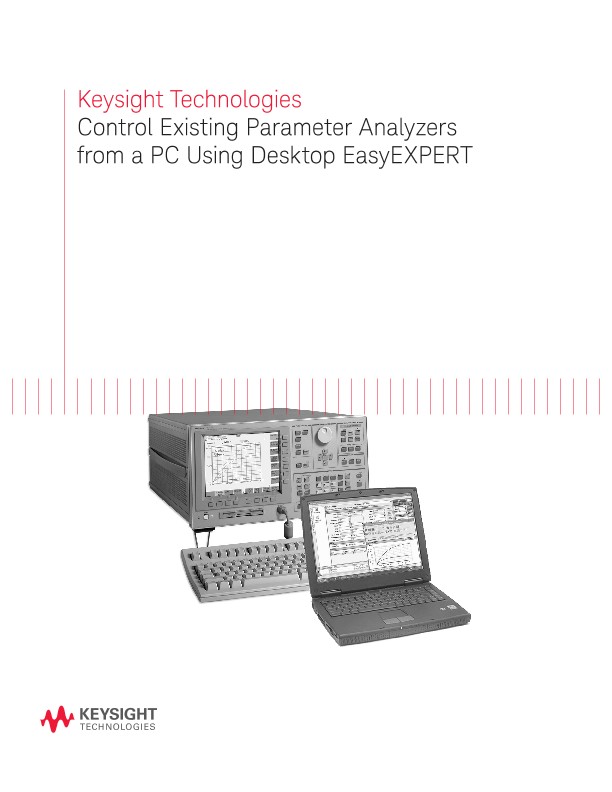
Control Existing Parameter Analyzers from a PC Using Desktop EasyEXPERT
散页
Introduction
Keysight Technologies, Inc.’s Desktop EasyEXPERT software for the B1500A now supports the 4155B/C and 4156B/C Semiconductor Parameter Analyzers too. The software can be downloaded from the Keysight web site at no charge. This makes it easy to enjoy all of the benefits of PC based instrument control on your existing parameter analyzer.
What is Desktop EasyEXPERT software?
Desktop EasyEXPERT is the same software that is built-in to the PC-based Keysight B1500A Semicon- ductor Device Analyzer, except that it runs on a stand-alone PC. Just like standard EasyEXPERT, Desktop EasyEXPERT supports all aspects of parametric test, from basic manual measurements to test automation across a wafer in conjunction with a semiautomatic wafer prober.
Features and benefits
Large application test library
Desktop EasyEXPERT comes with more than 150 application tests conveniently organized by device type, application, and technology. Many of these application tests will run on the 4155/4156 without modification, and you can easily edit and customize the furnished application tests to fit your specific needs.
Offline capability
Desktop EasyEXPERT can be run in either online or offline mode. In the offline mode you can perform tasks such as analyzing data and creating new application tests. This frees up your existing analyzer from being needed for development work and enables you to use it for its primary purpose: making measurements.
GUI-based classic test mode
Desktop EasyEXPERT offers a classic test mode that maintains the look, feel, and terminology of the 4155/4156 user interface. In addition, it improves the 4155/4156 user interface by taking full advantage of Microsoft Windows GUI features.
Easy test sequencing
A GUI-based Quick Test mode enables you to perform test sequencing without programming. You can select, copy, rearrange and cut-and-paste any application tests with a few simple mouse clicks. Once you have selected and arranged your tests, simply click on the measurement button to begin running an automated test sequence.
Prober control
All popular semiautomatic wafer probers are supported by Desktop EasyEXPERT. You can define wafer, die, and module information for probing across an entire wafer. You can also combine wafer prober control with either Quick Test mode or an application test based test sequence to perform multiple testing on various devices across the wafer.
Automatic data export
The Desktop EasyEXPERT has the ability to automatically export measurement data in real time, in a variety of formats. You can save data to any drive connected to the PC. If you wish, you can export data to a network drive and view test results on your desktop PC as your instruments are performing the testing in your lab.
System Requirements for 415x
The following are the minimum requirement for executing Desktop EasyEXPERT.
Processor: Intel Celeron 2 GHz
Memory: 512 Megabytes DDR266
Display: XGA 1024x768 (SXGA 1280x1024 recommended)
HDD: 1 GB free space on the C drive, 10 GB (30 GB recommended) free space on a drive for test setup/result data storage.
GPIB I/F (for online mode): Keysight 82350B or 82357A/B GPIB interface
OS: Windows XP Professional SP2
Software:
Microsoft .NET Framework Ver 1.1 Redistributable Package
Microsoft .NET Framework 1.1 SP1
Keysight IO Libraries Suite 14.0(for online mode)
Keysight T&M Programmers Toolkit Redistributable Package 1.1 (Programmers Toolkit revision 2.0 is not supported.)
Supported Instruments:
4155B, 4156B, 4155C, and 4156C (4155A and 4156A are not supported)
Supported 415x Functionality:
Sweep mode (Sampling, Stress, and QSCV modes are not supported)
Setup Converter Tool
In addition to Desktop EasyEXPERT, Keysight supplies a free setup converter tool that runs on any Windows-based PC. This tool can convert 4155 and 4156 measurement setup files (files of type “.MES”) into equivalent Desktop EasyEXPERT classic test mode setup files.